Management - document profiles & attributes
The Management area (admin) defines the building blocks used when creating processes.
Document profiles are the entries that appear in the Document type dropdown. Each profile has an owner group, an optional set of custom attributes, and an optional E‑Seal setting.
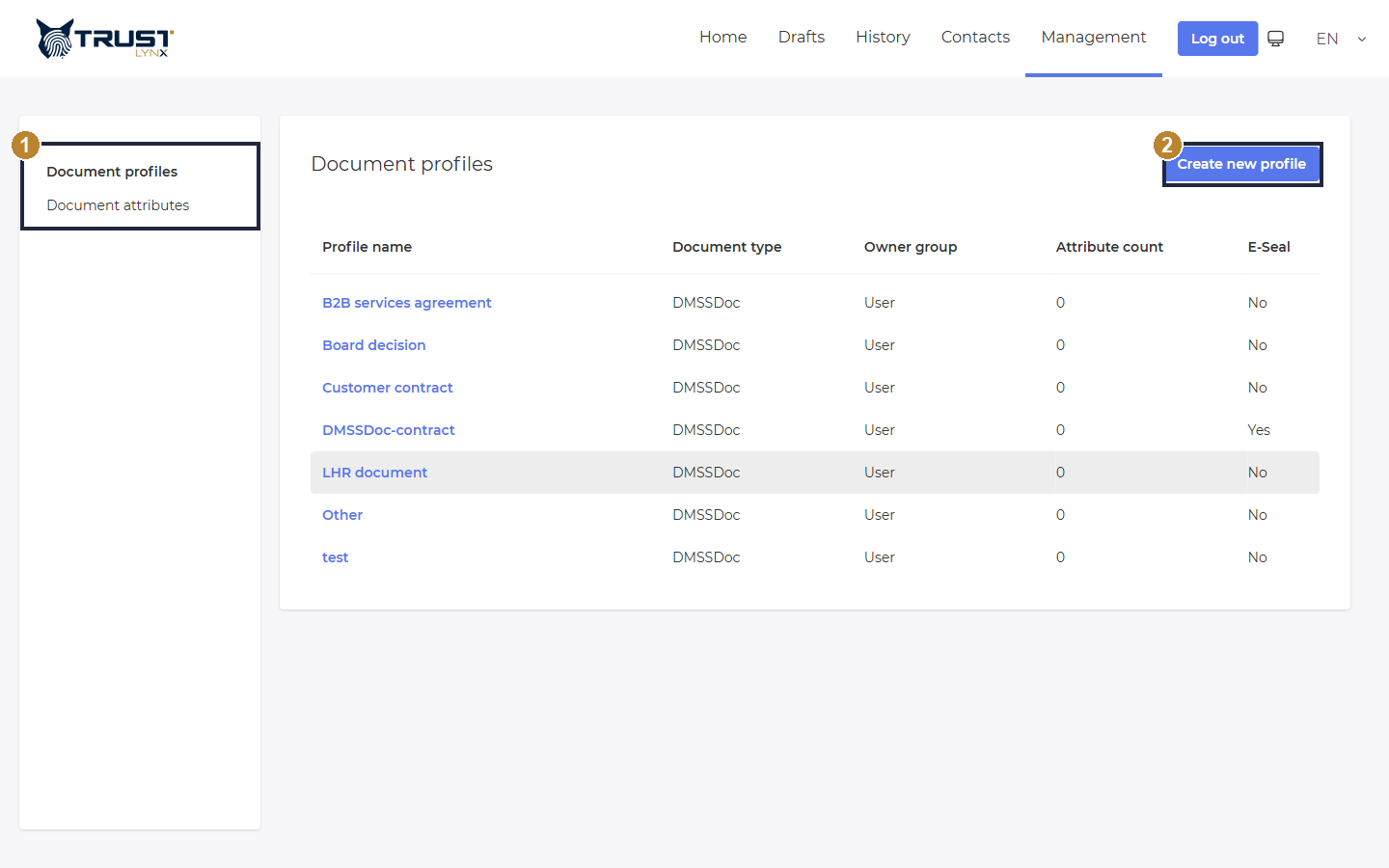
Document profiles populate the “Document type” choices.
- Sidebar - switch between Document profiles and Document attributes.
- Create new profile - add a new document type.
Document attributes are custom fields that can be attached to a document profile (each has a name, a type, and a required flag).
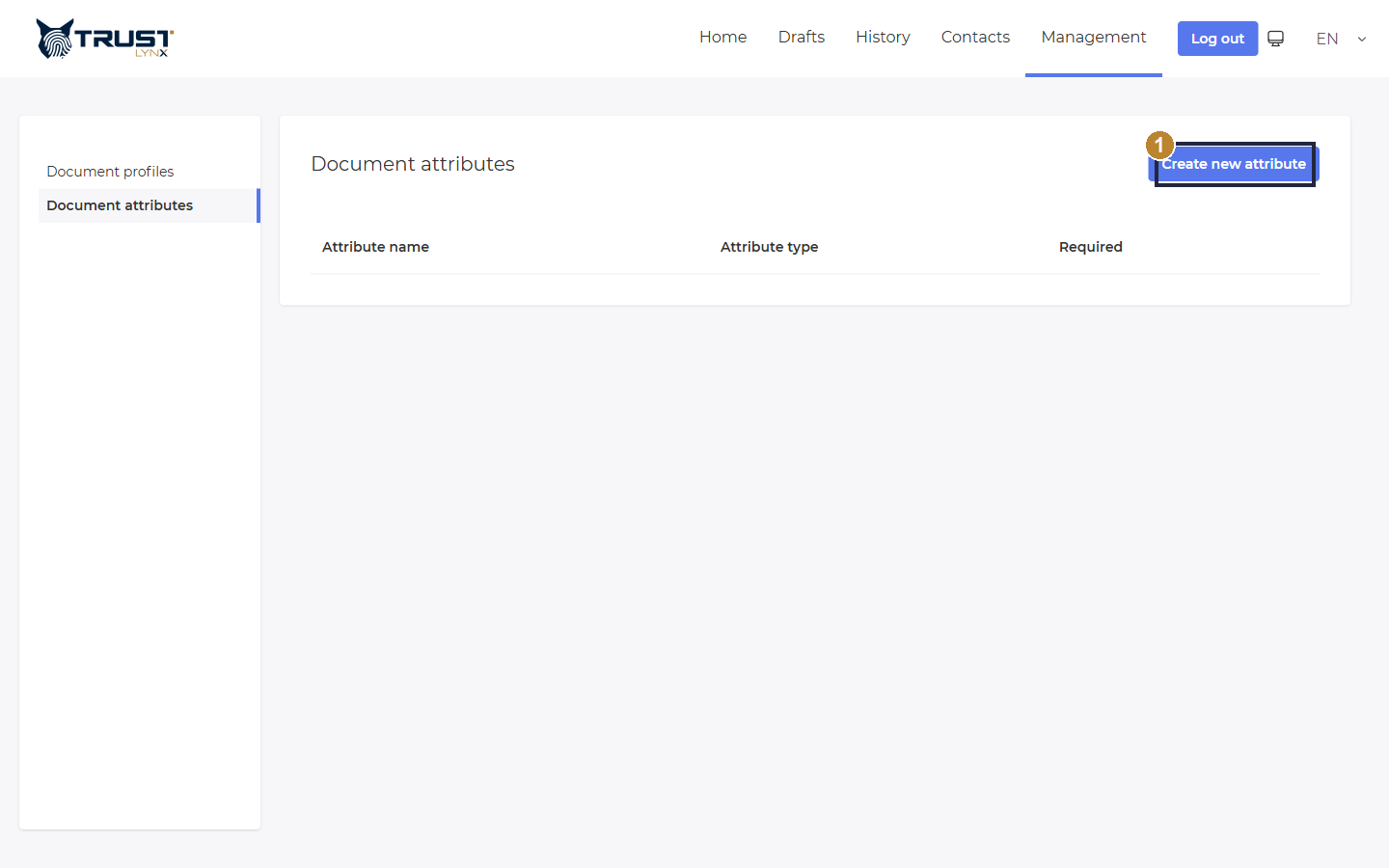
Custom attributes that can be attached to document profiles.
- Create new attribute - define a custom field (name, type, required).